

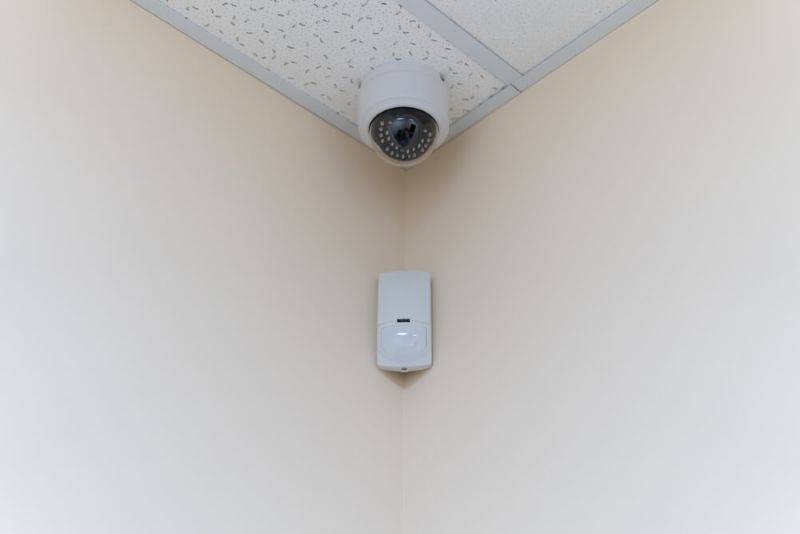
Buying a security camera sounds simple until someone actually starts shopping. Suddenly there are motion zones, PIR sensors, AI detection, cloud plans, local storage, solar panels, floodlights, and a dozen apps that all claim they are “easy.” Sure.
A good motion detector camera should do three things well. Catch real motion, ignore nonsense, and make it easy to see what happened without turning life into a full-time security job. This guide walks through what matters in 2026, what is just marketing noise, and how to choose a setup that fits the home and the budget.
A camera that records nonstop is not always the goal. Most people want smart recording that triggers when something actually happens. That is where motion detection earns its keep.
The ideal setup catches a person walking up the driveway, a package drop, or someone testing a gate. It does not freak out over every shadow, car headlight, or tree branch doing its windy dance.
When shopping, the first decision is this: do you want motion detection that is basic, or motion detection that is smart. Basic detection is usually cheaper, but can trigger a lot. Smart detection costs more and tends to reduce false alerts, especially if it includes person detection.
Most cameras use one of two approaches, or a mix of both. PIR motion detection senses heat changes, so it can be great for spotting people and animals. It is also often power efficient, which helps battery cameras.
Pixel based motion detection looks for changes in the video image. It can detect almost anything moving, including shadows and rain, which is why it needs strong motion zone controls to behave.
If a buyer wants fewer false alerts, PIR or smart detection usually feels better day to day. It is not perfect, but it is calmer.
A security camera with motion detection should offer motion zones. That means the owner can select the area that matters and ignore the road or sidewalk. Without zones, notifications can become annoying fast.
Other useful features include:
Also, check how alerts show up. Some apps give a quick thumbnail. Others show text only. That little difference matters at 2 a.m. when someone is half asleep trying to decide if it is a real issue.
People ask for the best motion sensor camera like there is one magic answer. But “best” changes based on the home and the habits.
A small apartment needs a different solution than a big house with a yard. A renter may prefer battery and adhesive mounts. A homeowner may want wired power and a clean install.
A practical definition of best is:
If a camera nails those four, it is already doing better than many “premium” options.
Power choices shape the whole experience. Wired cameras give consistent performance, no charging routine, and often higher quality recording. The downside is installation effort.
Battery cameras are flexible and easier to mount, but they require charging and sometimes record shorter clips to save power. Solar can be a great middle ground if the camera gets enough sun. It is not magic, but it can reduce charging chores.
When deciding, ask one honest question: will someone actually remember to charge a camera regularly. If the answer is no, wired may be the better call.
A wireless motion sensor camera usually refers to a camera that connects via Wi Fi and does not need an Ethernet cable. Many are also battery powered, though some are wired for power and still use Wi Fi for data.
The biggest advantage is placement freedom. The biggest weakness is Wi Fi reliability. Before buying, it helps to check signal strength near the planned mount point. Garages, exterior walls, and far corners of yards can weaken Wi Fi.
If the camera supports dual band Wi Fi or has a dedicated base station, that can improve reliability. It depends on the system, but connection stability matters more than most shoppers expect.
Outdoor cameras deal with weather, lighting changes, and a lot more random motion.
A good outdoor motion detection camera should have:
Also, think about light sources. Porch lights, street lights, and car headlights can affect detection. Sometimes adjusting the camera angle slightly solves half the problems.
Check Out: Wedding Favors 2025: Creative Ideas Your Guests Want
For most homes, 2K resolution is a sweet spot. It gives enough detail to recognize faces at reasonable distances and read some text, depending on angle and lighting.
4K can be excellent, but it also increases storage needs and may require stronger Wi Fi. If someone has a robust network and wants maximum detail, it can be worth it. If not, 2K is usually safer.
Frame rate matters too, but most cameras handle it well now. The bigger issue is dynamic range. A camera that handles bright sunlight and deep shadows will produce more useful footage than a higher resolution camera that blows out highlights.
Storage is where a lot of hidden costs live. Cloud storage is convenient and protects footage if the camera is stolen. The downside is ongoing subscription fees.
Local storage avoids monthly fees and works even if internet goes down, but it requires a microSD card, a hub, or an NVR, depending on the system. Many people end up preferring a hybrid setup: local storage for everyday use, cloud for important event backup. It depends on budget and risk tolerance.
The number one reason people stop using security apps is notification fatigue. Too many alerts and they get ignored. That defeats the whole point.
Ways to reduce noise:
This is also where the second mention of security camera with motion detection matters. A good system is not the one that yells the most. It is the one that yells at the right time.
Most homes benefit from covering a few key areas first:
Aim for mounting height that captures faces, not just tops of heads. Too high and detail suffers. Too low and cameras are easier to tamper with.
It is also smart to overlap coverage slightly so there are fewer blind spots. A single camera can miss angles. Two cameras working together feel more reliable.
Before spending big, it helps to decide on the ecosystem. Mixing brands can work, but it can also create app chaos. If someone wants simple, sticking to one platform helps.
Also check:
A camera may look affordable until the subscription plan shows up. That is why reading the fine print is worth it.
The best improvements in home security cameras lately are not just resolution. It is smarter detection and faster access to clips. People want fewer false alerts and more confidence.
Many systems now offer:
The second mention of best motion sensor camera belongs here too. The best choice is the one that fits the home’s layout, the internet setup, and the way the household actually lives.
The second mention of wireless motion sensor camera matters because wireless is not automatically easier. It is easier to install, yes. But it can be less predictable if Wi Fi coverage is weak.
If the camera is going far from the router, consider a mesh Wi Fi system or a camera platform that uses a dedicated hub connection. Otherwise, the camera may drop alerts at the worst moments.
The second mention of outdoor motion detection camera is a reminder that outdoor setups need maintenance thinking. Leaves grow. Seasons change. Sun angles shift. A camera that worked perfectly in winter might trigger more in summer because of shadows and moving branches.
A quick seasonal adjustment of motion zones can keep performance consistent.
Read More: Smart Home Gifts That People Actually Use Every Day
A camera should bring peace of mind, not constant phone buzzing. The right setup catches the important stuff, stores it safely, and lets the owner check footage quickly.
If a buyer focuses on placement, power source, storage, and smart detection, most shopping decisions become clearer. And if the system is easy enough to use every day, it is far more likely to actually protect the home. That is the real win.
PIR detects heat changes and often reduces false alerts. Pixel detection watches for image changes and can trigger on shadows or rain unless zones are set well.
Not always. Some use local storage without monthly fees, while others require subscriptions for cloud storage or advanced detection features.
Front door, driveway, and back entry points are usually the best starting spots because they cover the most common access areas around a home.
This content was created by AI